How to Set Up and Use CyberChef on Nife Deploy OpenHub
A step-by-step guide to deploying CyberChef on Nife Deploy OpenHub and using it for powerful web-based data transformation, encoding, and security analysis tasks.

CyberChef is a powerful open-source web application designed for cybersecurity professionals, developers, and analysts to perform complex data transformations directly in a browser. Originally developed by GCHQ, CyberChef provides hundreds of operations for encoding, decoding, encryption, hashing, compression, and format conversion.
You can try CyberChef instantly at the official live tool or explore the CyberChef GitHub Repository.
What makes CyberChef especially powerful is its recipe-based workflow, where users can stack multiple operations and see results in real time. Deploying it through Nife Deploy OpenHub lets you run the tool in a secure, scalable container environment without manually configuring servers or installing dependencies.
1. Accessing the Nife Deploy OpenHub Catalog
Access the Nife Deploy Console
Visit launch.nife.io and log in using your registered Nife account credentials to access the platform dashboard.
Navigate to OpenHub
Once logged in, locate the sidebar on the left-hand side. Under the Automation section, click on Templates, then open the Marketplace which lists available open-source applications that can be deployed instantly.
Search for CyberChef
Use the search bar inside the marketplace, type CyberChef, and locate the application card in the results.
2. Configuring and Initiating Deployment
Start Deployment
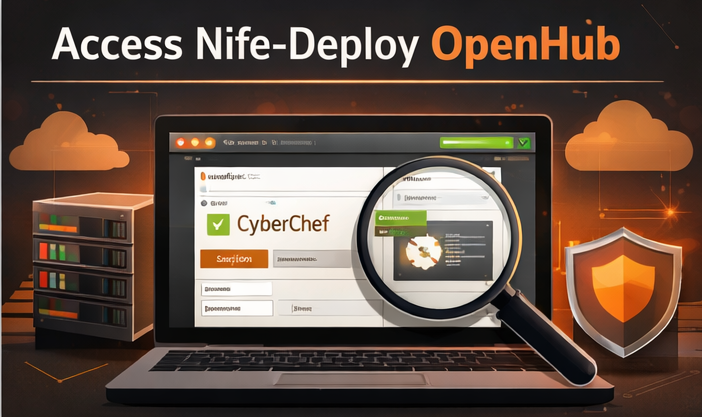
Hover over the CyberChef application tile and click Quick Deploy. This opens a configuration review screen.
Review Deployment Settings
Before launching, review the configuration options:
Application Name: Assign a unique name for your CyberChef instance. The platform may auto-generate one (for example: cyberchef-5748) which you can modify.
Cloud Region: Choose the deployment region closest to your users to minimize latency. Selecting India, Mumbai ensures faster response times for nearby users.
Resource Allocation: The platform automatically assigns appropriate CPU and memory. These defaults are sufficient since CyberChef is a lightweight browser-based tool.
Deploy the Application
After reviewing settings, click Deploy Application. Nife Deploy will automatically pull the CyberChef container image, configure networking, and launch the instance. Once the status changes to Running, open the application using the provided link.
3. Accessing the CyberChef Interface
Once the deployment status shows Running, click Open App from the deployment dashboard. This loads the CyberChef web interface in your browser — no login or additional configuration required.
CyberChef processes transformations in real time and displays output instantly as you build your recipe.
4. CyberChef Interface Overview
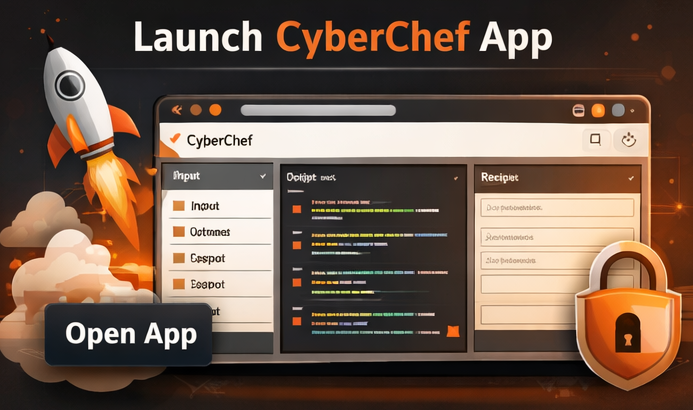
Operations Panel: Browse or search for transformation operations in the left panel and drag them into the recipe area.
Recipe Panel: Arrange operations in the center to build a sequence of transformations. Each operation executes sequentially.
Input and Output Panels: Paste data into the Input Panel on the right. The processed result appears instantly in the Output Panel, updating automatically as you change the input or recipe.
Core Benefits of Deploying CyberChef on Nife Deploy
Instant Deployment: Eliminates manual installation — the tool launches in seconds using a managed container environment.
Secure Self-Hosted Environment: Running CyberChef on your own deployment ensures that sensitive data transformations remain private and controlled.
No Local Installation Required: Since CyberChef runs entirely in the browser, users need no additional tools or dependencies.
Ideal for Security and Data Analysis: CyberChef supports hundreds of operations, making it useful for security research, malware analysis, forensic investigations, and data decoding tasks.
Official Documentation
- CyberChef GitHub Repository
- CyberChef Documentation Wiki
- Try CyberChef Online
- Deploy more apps on Nife OpenHub
Deploy on Nife
Ready to deploy? Check out the Nife documentation:
From the team at Nife
Deploy your next app in minutes, not days.
Nife is a multi-cloud edge platform that lets you deploy, scale, and manage applications globally without the infrastructure headache.