DevOps Forge: Instant Docker Configuration for Modern Applications
In the fast-paced world of application development, setting up Docker configurations can be time-consuming and error-prone. DevOps Forge by Nife revolutionizes this process by offering instant Docker template generation for popular frameworks and stacks. This blog explores what DevOps Forge is, how it works, who benefits from it, and why it's a game-changer for developers and DevOps teams building containerised applications.

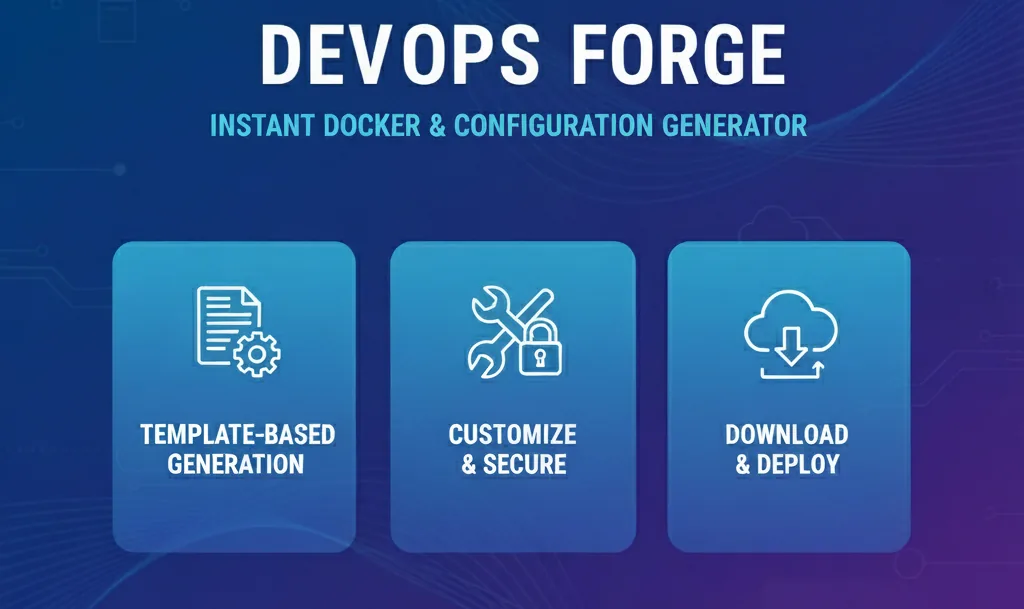
DevOps Forge: Transforming Docker Configuration from Hours to Minutes
In a world where developers juggle multiple frameworks, deploy across diverse cloud platforms, and race against tight deadlines, spending hours on Docker configuration is no longer acceptable. Manual setups break consistency, introduce security vulnerabilities, and slow down delivery. That's exactly where DevOps Forge steps in, rethinking how containerization should work in the era of modern application development.
This blog explores how DevOps Forge transforms Docker configuration into an instant, production-ready process that feels natural, fast, and reliable — without the headaches of traditional manual setup.
What is DevOps Forge?
DevOps Forge is a next-generation Docker template generation platform designed to simplify how developers and teams containerize, deploy, and manage applications. It's built for a world that doesn't follow a single framework or deployment pattern — but spans React, Node.js, Laravel, Strapi, and everything in between.
By abstracting the complexity of Docker configuration, DevOps Forge lets you focus on what actually matters: building great applications. Whether you're dealing with single-page apps, RESTful APIs, headless CMS platforms, or multi-container full-stack applications, DevOps Forge's intelligent templates ensure everything runs exactly as it should — efficiently and securely.
Now, imagine accessing production-ready Docker configurations with a single click.
Why Automate Docker Configuration?
Docker is powerful, flexible, and essential for modern development — but it's still complex to configure properly. Development teams often struggle with:
• Inconsistent Dockerfiles across projects and team members • Limited knowledge of security best practices and optimization techniques • Painful environment setup for new developers or collaborators • Security risks from outdated base images or misconfigured containers
By automating Docker configuration through DevOps Forge, developers get the best of both worlds: production-tested templates combined with the flexibility to customize for specific needs.
How DevOps Forge Powers Instant Docker Configuration
DevOps Forge's approach revolves around three key capabilities:
• Instant Template Generation — A direct path from framework selection to production-ready Docker configuration. You can access complete containerization setups without writing a single line of Dockerfile.
• Multi-Container Orchestration — Complete docker-compose configurations for full-stack applications with databases, caching layers, and frontend frameworks all working together seamlessly.
• Framework-Specific Optimization — Each template is tailored for its specific technology stack, incorporating best practices for React's static serving, Next.js SSR, Laravel's PHP-FPM, and more.
How it works in practice
-
Setup is Instant Forget about researching Dockerfile syntax or docker-compose configurations. Developers can select their stack and download a complete, production-ready setup in seconds.
-
Real-time Deployment Build, test, and deploy from anywhere. Templates include everything needed for local development, CI/CD integration, and production deployment.
-
Unified Configuration Every developer on your team gets the same base configuration, same security practices, same optimization patterns — zero drift.
-
One-click Deployment Deploy directly from your generated Docker configuration to any platform, whether it's AWS, Azure, Google Cloud, or Nife's hybrid edge infrastructure.
What Developer's want
Here's the thing — developers don't want to become Docker experts to ship their applications. They just want their code to run reliably across all environments. With DevOps Forge's template system, containerization feels effortless again.
You can select your framework, download your configuration, and start building instantly — even if you're new to Docker. Your security is handled, your optimizations are built-in, and your deployment path stays consistent across all environments.
In short, DevOps Forge turns Docker configuration into a solved problem, without making you change how you build applications.
Key Benefits of DevOps Forge Templates
Day-to-day, this gives developers and teams:
• Speed – Go from framework selection to running containers in minutes, not hours or days. • Security – Every template includes hardened base images, non-root execution, and security headers. • Consistency – Every developer uses the same proven configuration, eliminating environment drift. • Optimization – Multi-stage builds, minimal images, and performance tuning built into every template. • Learning – Templates serve as educational resources showing Docker best practices in action.
This combination delivers enterprise-grade containerization with startup-level speed.
Use Case: From Manual Configuration to Automated Excellence
Imagine you're part of a development team building a new SaaS product. One developer is working on the React frontend, another on the Node.js API, someone else is integrating PostgreSQL. Every person has their own Docker setup, with different base images, security practices, and optimization levels.
With DevOps Forge, everyone uses the same production-tested templates. No inconsistent configurations. No security gaps. When a new developer joins, you simply share the templates — they're containerizing their services in minutes.
This is the kind of development efficiency that accelerates time-to-market and removes deployment friction.
Supported Technology Stacks
DevOps Forge provides comprehensive coverage across modern web development:
Frontend Frameworks
• React – Optimized multi-stage builds with Nginx serving • Angular – TypeScript compilation with production optimizations • Vue.js – Lightweight containers with proper routing support • Next.js – SSR-ready configurations with Node.js runtime • Nuxt.js – Vue-based SSR with environment management
Backend APIs
• Node.js – Minimal Alpine-based containers with proper security • Express.js – Fast API server configurations with health checks • NestJS – TypeScript-optimized builds with framework-specific tuning
PHP & CMS
• Laravel – Complete PHP environment with Apache/Nginx options and MySQL integration • Strapi CMS – Headless CMS with PostgreSQL and media handling
Multi-Container Stacks
• React + PostgreSQL – Full-stack web applications • Node.js + MySQL – API servers with relational databases • Node.js + MongoDB – Document-based applications • Node.js + Redis – High-performance caching and sessions
Why DevOps Forge Matters
Eliminates Common Pain Points
- No more hours spent writing Docker configurations from scratch
- No more syntax errors in complex docker-compose files
- No more outdated tutorials with deprecated Docker practices
- No more security oversights in homegrown configs
Accelerates Cloud-Native Adoption
- Lowers the barrier to containerization
- Encodes expert knowledge into reusable templates
- Helps teams adopt DevOps practices faster
- Maintains consistency as teams scale
The Future of Container-First Development
We're witnessing a major shift in how applications get deployed. Developers don't want to spend days learning Docker internals — they want to build features, test quickly, and deploy confidently.
DevOps Forge's template-driven approach is part of a larger movement toward automated infrastructure — where best practices are encoded, security is built-in, and configuration becomes a solved problem rather than a constant challenge.
It's about freeing developers from infrastructure complexity so they can focus entirely on creating value for users.
Framework-Specific Deep Dives
React Applications
DevOps Forge's React templates use multi-stage builds:
Stage 1: Build • Full Node.js environment for npm install and build • Development dependencies included • Optimized webpack compilation
Stage 2: Production • Lightweight Nginx Alpine image • Only production build artifacts copied • Gzip compression and caching headers configured • Client-side routing properly handled
Result: Images that are 10x smaller and start 5x faster than naive configurations.
Laravel Applications
Complete PHP environment with:
Web Server Configuration • Apache with mod_rewrite or Nginx with PHP-FPM • SSL/TLS ready for production deployment • Proper file permissions for storage directories
PHP Optimization • Required extensions: PDO, mbstring, XML, curl, zip • Composer autoload optimization • OPcache configuration for production performance
Database Integration • MySQL or PostgreSQL via docker-compose • Automated migrations on container startup • Connection pooling for optimal performance
NestJS APIs
TypeScript-optimized containers with:
Build Process • TypeScript compilation with source maps • Dependency optimization and tree shaking • Framework-specific CLI integration
Runtime Configuration • Production process management • Health check endpoints • Environment-based configuration loading • Graceful shutdown handling
Integration with CI/CD Pipelines
DevOps Forge templates integrate seamlessly with:
• GitHub Actions – Build, test, and deploy workflows included • GitLab CI – Pipeline configurations for automated testing • Jenkins – Jenkinsfile templates for containerized builds • Azure DevOps – YAML pipeline configurations
This means going from template generation to fully automated deployment pipelines in minutes.
Security Best Practices Built-In
Every template includes:
Container Security
• Minimal base images with reduced attack surface • Non-root user execution with proper permissions • No secrets hardcoded in images • Regular security updates to base images
Application Security
• Security headers: CSP, HSTS, X-Frame-Options • HTTPS redirect configurations • Rate limiting patterns for APIs • Input validation best practices
Operational Security
• Health check configurations • Resource limits to prevent DoS • Comprehensive logging for audit trails • Secrets management via environment variables
Nife Platform Integration
DevOps Forge is built by Nife, an AI-powered hybrid cloud platform that simplifies deployment across edge infrastructure, public clouds, and private data centers.
Combined Benefits: • Generate Docker configurations with DevOps Forge • Deploy globally with Nife's edge network • Scale automatically based on traffic patterns • Monitor performance across all deployment targets
This creates an end-to-end workflow from development to global production deployment.
Getting Started with DevOps Forge
Step 1: Visit the Platform Access DevOps Forge through nife.io/devops-forge and browse available templates.
Step 2: Select Your Stack Choose your framework or multi-service combination. Options include single-service templates and complete full-stack configurations.
Step 3: Generate Configuration Download your complete Docker setup including Dockerfile, docker-compose.yml, and documentation.
Step 4: Customize and Deploy
Adjust environment variables for your needs, test locally with docker compose up, and deploy to any platform.
Closing Thoughts
Automating Docker configuration isn't just a productivity improvement — it's a fundamental shift in how teams approach containerization. Instead of treating Docker as a complex hurdle, DevOps Forge makes it a solved problem that every developer can leverage immediately.
With DevOps Forge, developers get instant access to production-ready containers that are secure, optimized, and consistent. Whether you're an individual developer or a large enterprise team, this platform represents what modern development should look like: fast, reliable, and focused on shipping value.
About Nife
Nife is an AI-powered hybrid cloud platform designed to simplify cloud-native application deployment and management. It enables teams to deploy applications closer to users — across data centers, public clouds, and edge infrastructure — for maximum performance and scalability.
To learn more, visit nife.io/devops-forge.
Deploy on Nife
Ready to deploy? Check out the Nife documentation:
From the team at Nife
Deploy your next app in minutes, not days.
Nife is a multi-cloud edge platform that lets you deploy, scale, and manage applications globally without the infrastructure headache.