How to Create EBS CSI Volume Snapshots in Amazon EKS
Learn how to create and restore EBS CSI volume snapshots in Amazon EKS. This step-by-step guide walks you through CRD installation, snapshot creation, IAM setup, and restoring data from snapshots.

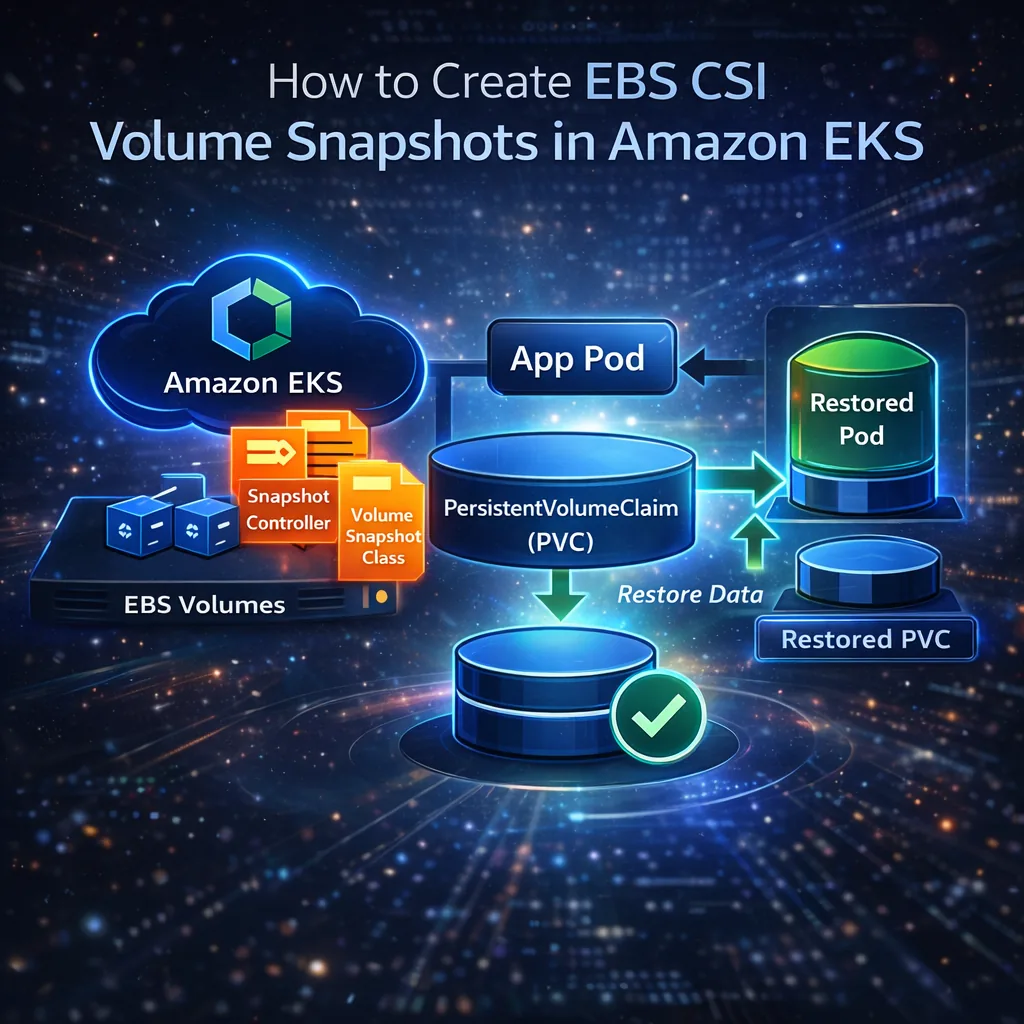
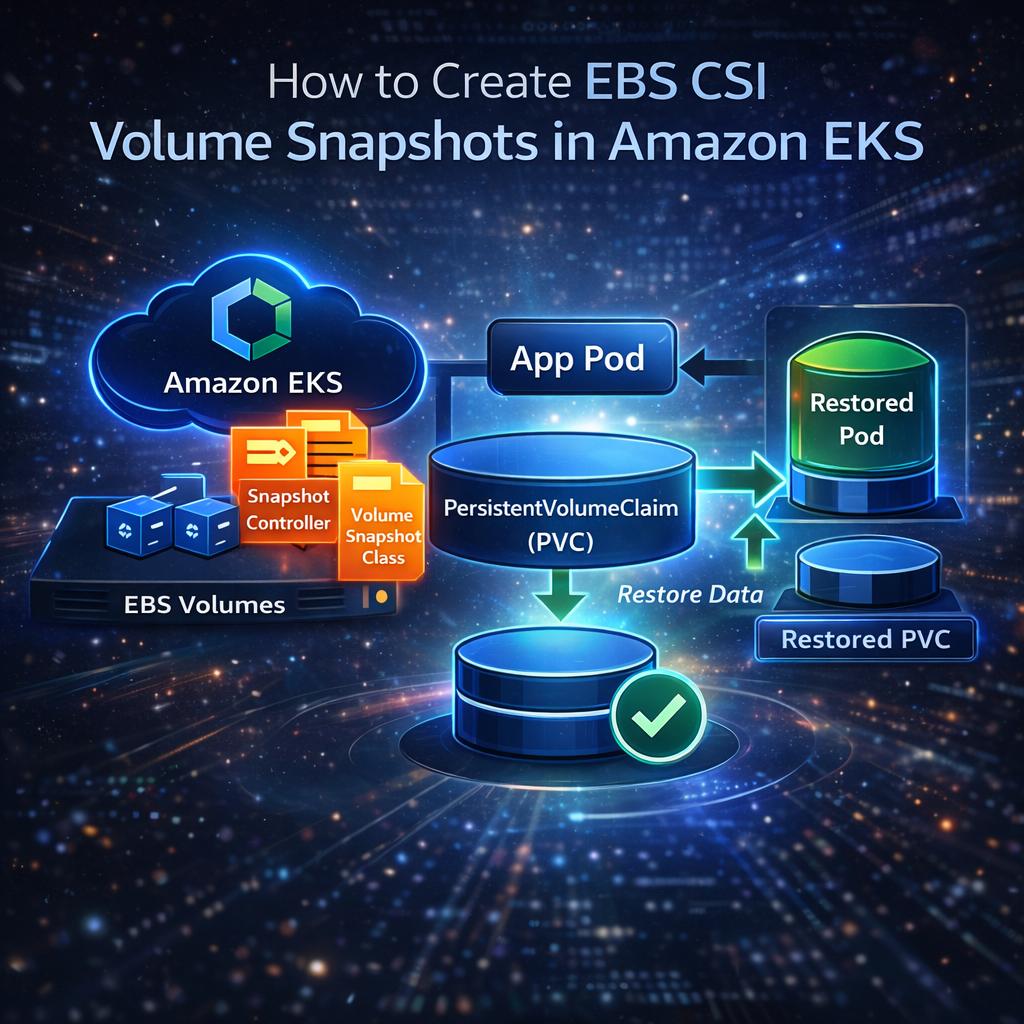
Creating snapshots of your persistent volumes in Amazon EKS using the EBS CSI driver is an essential step for data backup and disaster recovery. In this guide, we'll walk you through the complete process—from installing snapshot CRDs to restoring data into a new pod.
What Is an EBS CSI Volume Snapshot?
A Volume Snapshot is a point-in-time copy of your PersistentVolumeClaim (PVC) in Kubernetes. Using the EBS Container Storage Interface (CSI) driver, you can:
- Backup critical application data
- Restore PVCs quickly
- Enable disaster recovery for stateful workloads in EKS
Snapshots integrate with AWS EBS, making it easy to manage volume backups without manual intervention.
For an overview of how volume snapshots work in EKS, see the Kubernetes Volume Snapshot Documentation.
For teams managing production Kubernetes workloads, platforms like nife’s AWS EKS cluster management solution help simplify cluster operations, storage lifecycle management, and backup strategies at scale.
Step 1 — Install Volume Snapshot CRDs
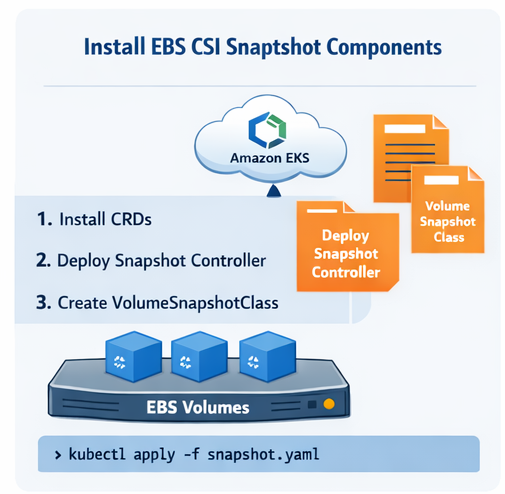 First, install the Custom Resource Definitions (CRDs) for Kubernetes volume snapshots:
kubectl apply -f https://raw.githubusercontent.com/kubernetes-csi/external-snapshotter/v6.3.0/client/config/crd/snapshot.storage.k8s.io_volumesnapshotclasses.yaml
kubectl apply -f https://raw.githubusercontent.com/kubernetes-csi/external-snapshotter/v6.3.0/client/config/crd/snapshot.storage.k8s.io_volumesnapshotcontents.yaml
kubectl apply -f https://raw.githubusercontent.com/kubernetes-csi/external-snapshotter/v6.3.0/client/config/crd/snapshot.storage.k8s.io_volumesnapshots.yaml
Verify installation:
kubectl get crd | grep volumesnapshot
Step 2 — Install Snapshot Controller
Install the snapshot controller, which manages snapshot creation and readiness:
kubectl apply -f https://raw.githubusercontent.com/kubernetes-csi/external-snapshotter/v6.3.0/deploy/kubernetes/snapshot-controller/setup-snapshot-controller.yaml
kubectl get pods -n kube-system | grep snapshot
Step 3 — Create VolumeSnapshotClass (AWS EBS)
Create a file named ebs-snapshot-class.yaml:
apiVersion: snapshot.storage.k8s.io/v1
kind: VolumeSnapshotClass
metadata:
name: ebs-snapshot-class
driver: ebs.csi.aws.com
deletionPolicy: Delete
Apply the class: This defines how your snapshots will be created and deleted.
kubectl apply -f ebs-snapshot-class.yaml
kubectl get volumesnapshotclass
Step 4 — Ensure IAM Permissions for CSI Driver
The EBS CSI driver IAM role must allow snapshot operations:
{
"Effect": "Allow",
"Action": [
"ec2:CreateSnapshot",
"ec2:DeleteSnapshot",
"ec2:DescribeSnapshots",
"ec2:CreateTags",
"ec2:DescribeVolumes"
],
"Resource": "*"
}
Step 5 — Create a Test PVC and Pod
Create a test PVC (test-pvc.yaml):
apiVersion: v1
kind: PersistentVolumeClaim
metadata:
name: snapshot-test-pvc
namespace: htto
spec:
accessModes:
- ReadWriteOnce
storageClassName: ebs-csi
resources:
requests:
storage: 1Gi
Apply the PVC:
kubectl apply -f test-pvc.yaml
kubectl get pv -o yaml | grep ebs.csi.aws.com
Create a test pod (test-pod.yaml) to write data:
apiVersion: v1
kind: Pod
metadata:
name: snapshot-test-pod
namespace: htto
spec:
containers:
- name: app
image: busybox
command: ["sh", "-c", "sleep 3600"]
volumeMounts:
- mountPath: /data
name: data
volumes:
- name: data
persistentVolumeClaim:
claimName: snapshot-test-pvc
Apply the pod:
kubectl apply -f test-pod.yaml
kubectl get pvc snapshot-test-pvc -n htto
Step 6 — Write Data Into the Volume
kubectl exec -it snapshot-test-pod -n htto -- sh
echo "hello snapshot" > /data/testfile.txt
exit
Step 7 — Create a Volume Snapshot
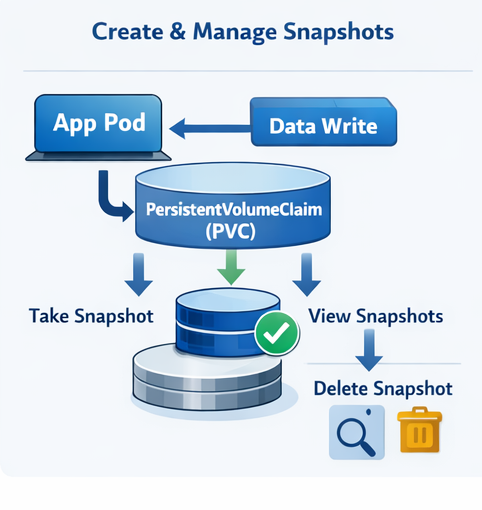 Create
 snapshot.yaml:
apiVersion: snapshot.storage.k8s.io/v1
kind: VolumeSnapshot
metadata:
name: snapshot-test
namespace: htto
spec:
volumeSnapshotClassName: ebs-snapshot-class
source:
persistentVolumeClaimName: snapshot-test-pvc
Once snapshots are successfully created, organizations often integrate them into a broader cloud management workflow.
Solutions like nife’s hybrid cloud platform enable centralized visibility across Kubernetes clusters, cloud providers, and storage resources.
Apply the snapshot:
kubectl apply -f snapshot.yaml
kubectl get volumesnapshot -n htto
kubectl describe volumesnapshot snapshot-test -n htto
If
Ready To Useisfalse, ensure the csi-snapshotter container is running in your EBS CSI controller. Upgrading the Helm release often resolves this:
helm repo update
helm upgrade aws-ebs-csi-driver aws-ebs-csi-driver/aws-ebs-csi-driver \
-n kube-system \
--set controller.serviceAccount.annotations."eks\.amazonaws\.com/role-arn"=arn:aws:iam::814979595605:role/AmazonEKS_EBS_CSI_DriverRole dont use like this
arn:aws:iam::<YOUR_AWS_ACCOUNT_ID>:role/AmazonEKS_EBS_CSI_DriverRole
Step 8 — Restore PVC from Snapshot
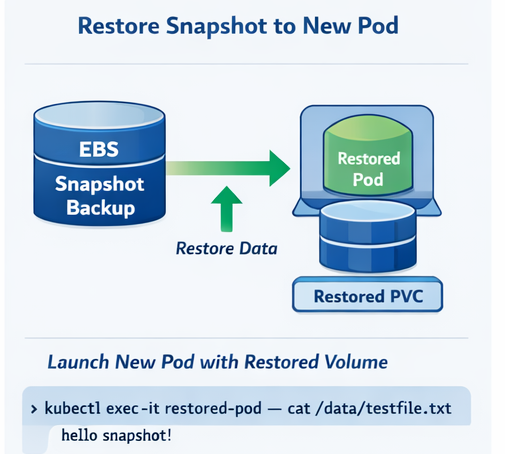 Create
 restore-pvc.yaml:
apiVersion: v1
kind: PersistentVolumeClaim
metadata:
name: restore-pvc
namespace: htto
spec:
storageClassName: ebs-csi
dataSource:
name: snapshot-test
kind: VolumeSnapshot
apiGroup: snapshot.storage.k8s.io
accessModes:
- ReadWriteOnce
resources:
requests:
storage: 1Gi
Apply it:
kubectl apply -f restore-pvc.yaml
Create a pod (restore-test.yaml) using the restored PVC:
apiVersion: v1
kind: Pod
metadata:
name: restore-test
namespace: htto
spec:
containers:
- name: app
image: nginx
volumeMounts:
- mountPath: "/data"
name: restored-vol
volumes:
- name: restored-vol
persistentVolumeClaim:
claimName: restore-pvc
Verify your data is restored:
kubectl exec -it restore-test -n htto -- cat /data/testfile.txt
You should see:
hello snapshot
The restore PVC size must be equal or larger than the snapshot size.
Best Practices for EKS Volume Snapshots
- Use
Retainas thedeletionPolicyfor production snapshots to prevent accidental data loss. - Encrypt EBS volumes using AWS KMS to ensure data security and compliance.
- Automate snapshot creation using tools like Velero or Kubernetes CronJobs.
- Regularly test snapshot restores in staging environments to validate backup reliability.
- Store snapshot metadata for auditing, compliance, and troubleshooting purposes.
Reference
Refer to the AWS EKS EBS CSI Driver Documentation for setup and configuration details.
Key Takeaways
- Volume snapshots allow point-in-time backups of your PVCs in EKS.
- The EBS CSI driver must include
csi-snapshotterfor snapshot functionality. - Always ensure IAM permissions are correctly configured.
- Snapshots can be restored into new PVCs and pods, making them essential for backup and recovery.
For production-ready storage and backup recommendations, see the AWS EBS CSI Driver GitHub Repository.
For teams looking to implement this in production, explore nife.io solutions.
For more on EKS storage best practices, check AWS-EKS-EBS-CSI Documentation.
If you're operating multiple Kubernetes clusters across regions or cloud providers, nife.io’s solutions can help with unify EKS management, automate backups, and enhance observability across environments.
Deploy on Nife
Ready to deploy? Check out the Nife documentation:
From the team at Nife
Deploy your next app in minutes, not days.
Nife is a multi-cloud edge platform that lets you deploy, scale, and manage applications globally without the infrastructure headache.